Best Agorapulse Alternative for Growing Teams
Agorapulse combines social media scheduling with a unified inbox, ROI tracking, and agency reporting tools. Postprism is focused on getting the right content to each platform with AI adaptation — at a flat pricing model that is far more accessible than Agorapulse's per-user rates.


Postprism vs Agorapulse: The Verdict
Agorapulse is the right tool if you:
Need a unified inbox for managing DMs, comments, and mentions at scale
Require ROI tracking and revenue attribution for client reporting
Manage large community engagement alongside scheduling
Work in a well-funded agency where per-user cost is acceptable
Postprism is the better fit if you:
Want AI to rewrite content for each platform automatically before publishing
Cannot justify $49–$119 per user per month for your team
Need flat workspace pricing as your team and account list grow
Prefer a focused scheduling tool over a social CRM suite
Publish to Reddit or want per-platform content optimisation
Postprism vs Agorapulse
Feature
Postprism

Agorapulse
Pricing
Solo from $19/month — all 7 platforms, unlimited posts
Solo $19/month, Freelancer $49/month, Agency $99/month paid
Solo from $19/month — all 7 platforms, unlimited posts
Free plan available (limited to 1 user, 3 social profiles, 10 scheduled posts)
Standard $49/user/month, Professional $79/user/month, Advanced $119/user/month paid
AI content adaptation per platform
Automatically rewrites your content for each platform — tone, format, length, and hashtag style per channel before publishing
No AI content adaptation per platform. Content is posted as-written to each connected channel
Pricing
Solo $19/month. Freelancer $49/month. Agency $99/month — flat workspace pricing
Standard at $49/user/month, Professional at $79/user/month, Advanced at $119/user/month — per-user pricing that escalates quickly for larger teams
Platforms supported
Facebook, Instagram, Twitter/X, LinkedIn, TikTok, YouTube, and Reddit — 7 platforms with full publishing support
Facebook, Instagram, Twitter/X, LinkedIn, YouTube, TikTok, Google Business, and Pinterest — 8 platforms
Social inbox
Post-level engagement tracking included. A unified social inbox for DMs, comments, and mentions is not currently available
Unified social inbox for DMs, comments, and mentions across all connected platforms — a core strength for community managers
ROI tracking and reporting
Per-post and platform engagement metrics. 90-day history on Freelancer. Full history with CSV export on Agency
Advanced ROI tracking with revenue attribution and automated client reports — strong for agencies justifying social spend
Content calendar view
Full calendar (month, week, day views) with drag-and-drop rescheduling and kanban board for pipeline management
Publishing calendar with queue management and approval workflows
Post scheduling
Full scheduling with automatic multi-platform publishing, retry logic, and calendar-based queue management
Solid scheduling with bulk publishing and AutoPublish for Instagram
Multi-user and team support
Workspaces with Owner, Admin, Editor, and Viewer roles. Up to 3 members on Freelancer ($49/mo). Up to 10 members on Agency ($99/mo)
Team collaboration with advanced role management and assignment features across all paid plans — but at high per-user cost
Postprism vs Agorapulse: Pros & Cons
Agorapulse
Pros
Unified social inbox for DMs, comments, and mentions across all platforms
ROI tracking and revenue attribution for agency reporting
Advanced team collaboration and role management
Pinterest and Google Business support
Cons
No AI content adaptation per platform
Per-user pricing is among the highest in the category
Expensive for small teams or solopreneurs
Feature-heavy interface can be overwhelming for simple scheduling needs
Postprism
Pros
AI rewrites content for each platform automatically
Flat workspace pricing — dramatically cheaper for teams
Calendar and kanban views for full pipeline visibility
Approval workflows with role-based access from Freelancer plan
7 platforms including Reddit
Cons
No unified social inbox for community management
No ROI attribution or revenue tracking
No Pinterest or Google Business support
Who Should Use Agorapulse vs Postprism?
Agorapulse is best for:
Community managers handling high volumes of DMs, comments, and mentions
Agencies that need to prove social media ROI with attribution reporting
Large marketing teams with budget for premium per-user pricing
Businesses posting to Pinterest or Google Business
Postprism is best for:
Teams who want AI-adapted content for each platform automatically
Small to medium agencies wanting flat pricing that scales affordably
Creators and marketers focused on scheduling and publishing efficiency
Teams that want approval workflows without the social CRM overhead
Content Calendar
One calendar. All your posts.
See every scheduled post across all platforms in a single calendar. Month, week, and day views let you spot gaps, drag-and-drop to reschedule, and plan campaigns without switching between tools.
Try it free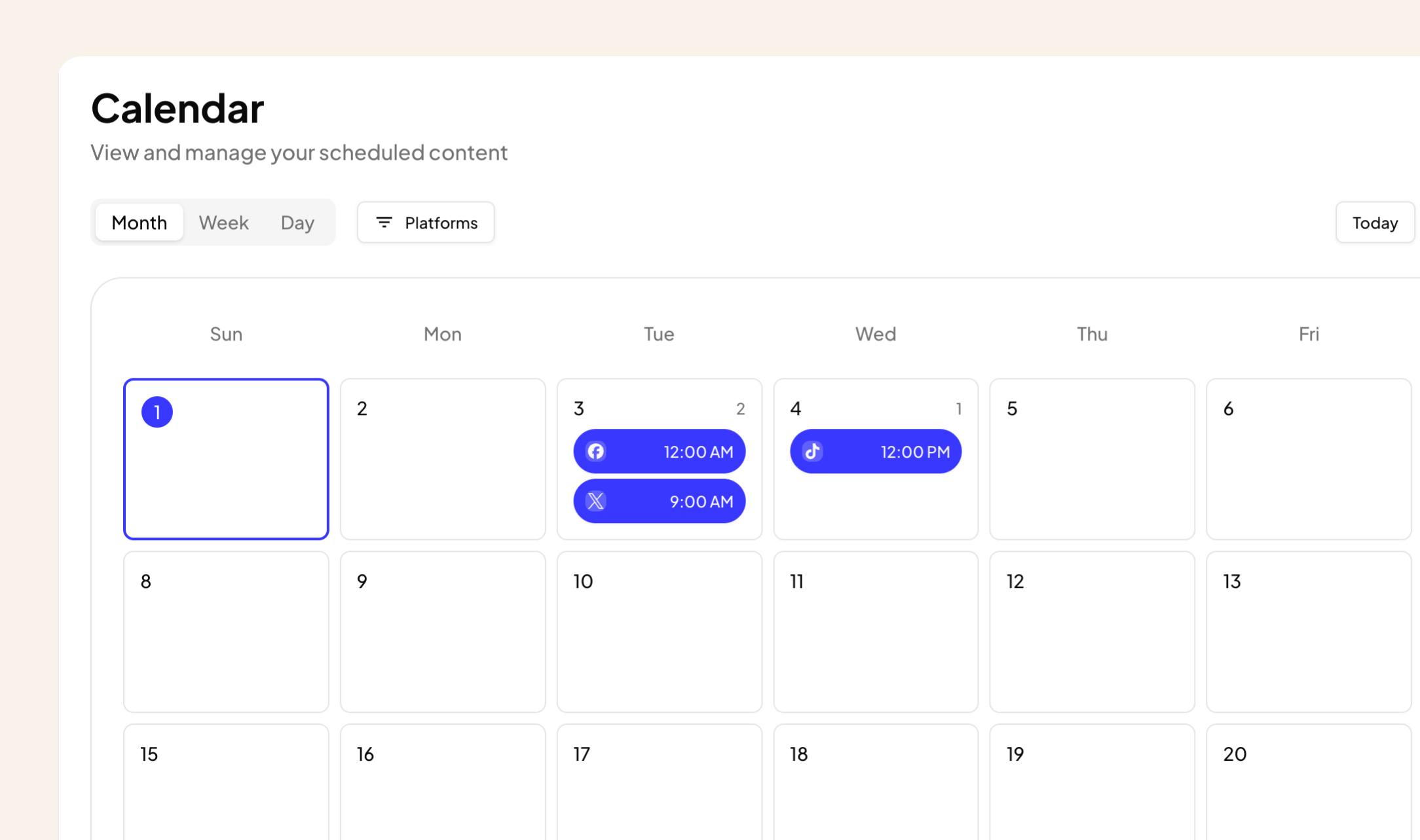
AI Content Adaptation
Create once. Publish everywhere — adapted.
Write your core message once. Postprism rewrites it for each platform before publishing: professional on LinkedIn, punchy on Twitter/X, hashtag-optimised on Instagram. No more manual copy-paste rewrites.
Try it free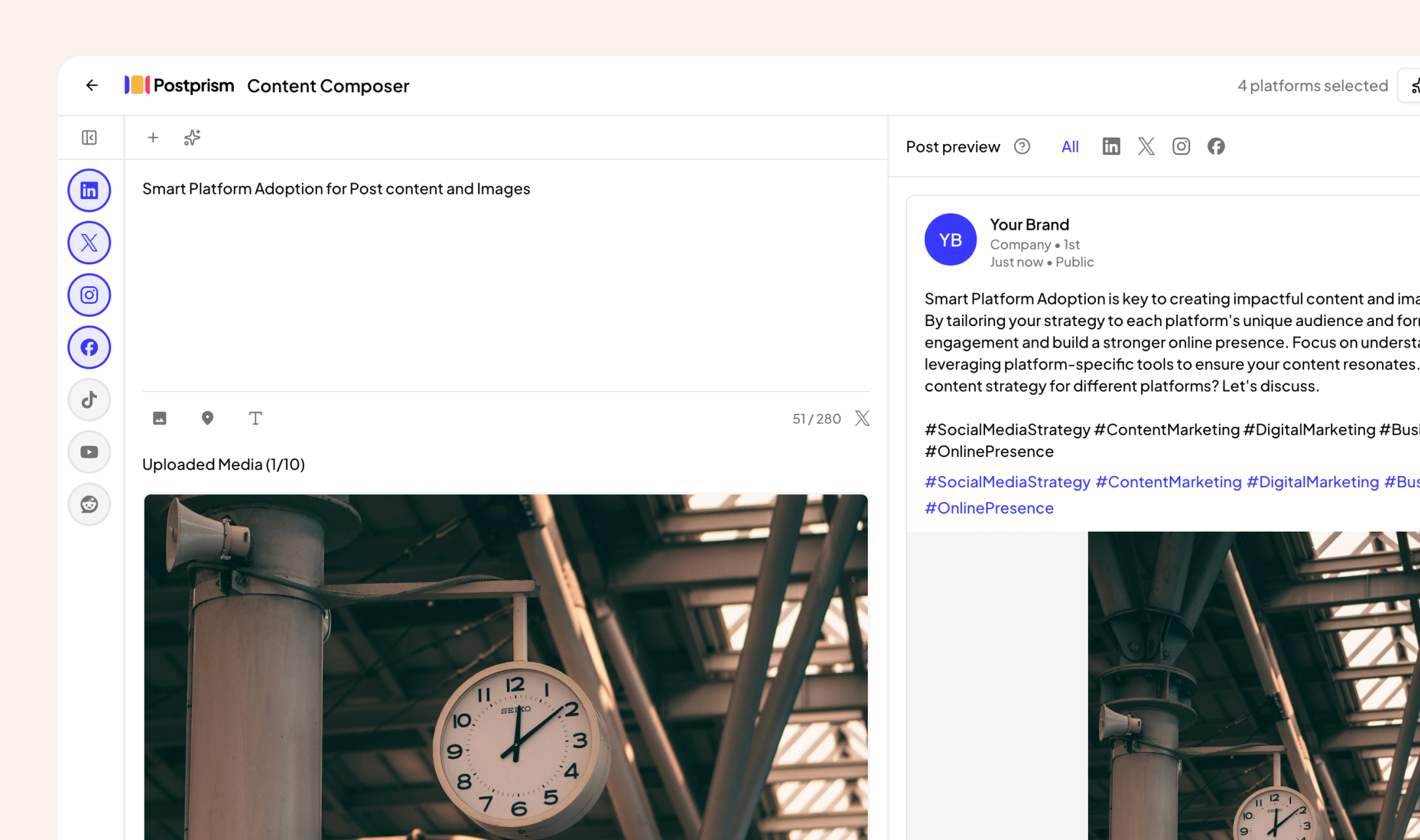
Team Collaboration
Roles, approvals, and workspaces.
Invite your team with Owner, Admin, Editor, or Viewer roles. Set up approval workflows so nothing gets published without sign-off. Built for agencies managing multiple client workspaces.
Try it free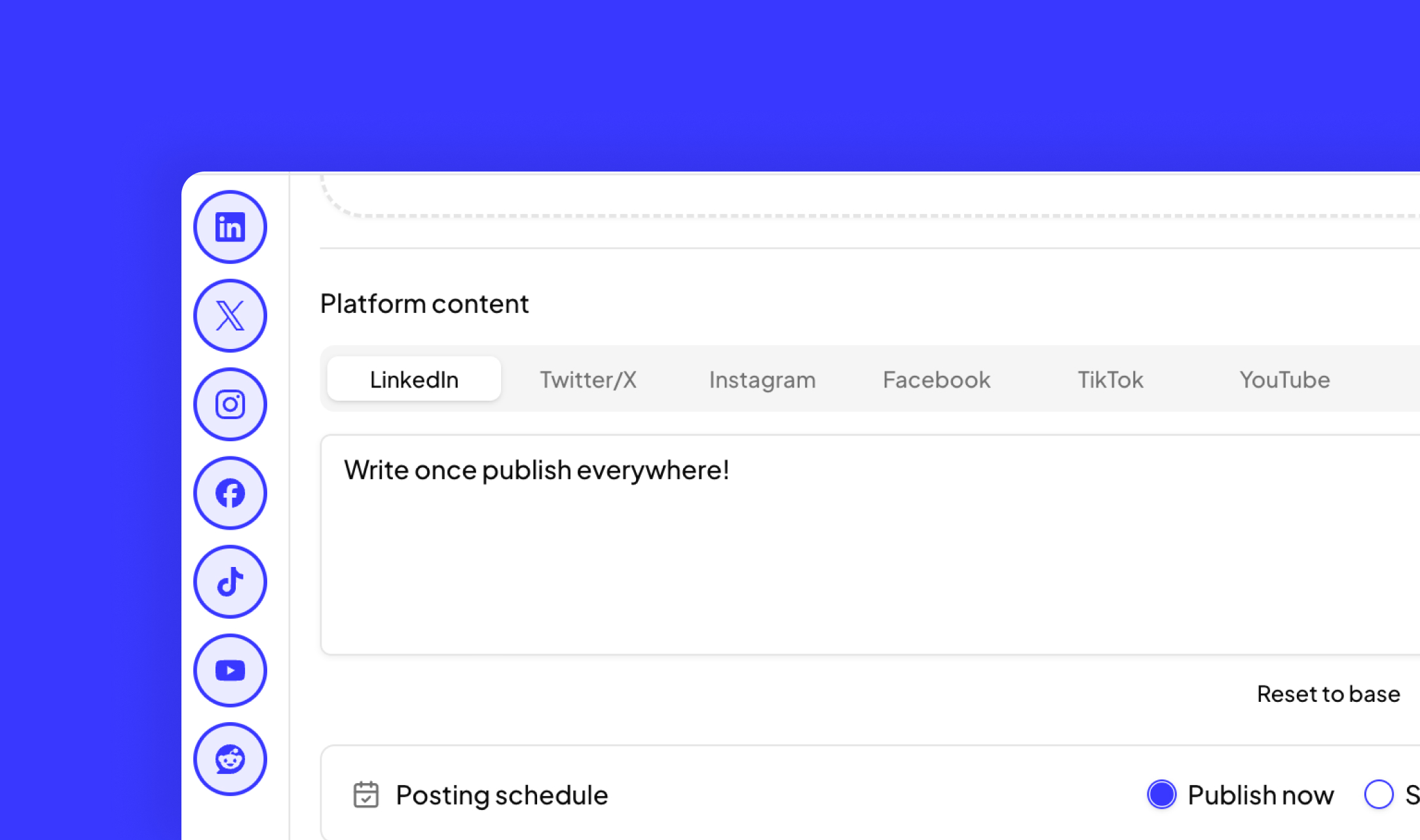
How to Switch from Agorapulse to Postprism
Moving your social media workflow takes minutes, not days.
Export your Agorapulse analytics and scheduled content
Download your Agorapulse analytics reports and copy any scheduled post content you want to carry over. Save inbox records if you need them for reference.
Create your Postprism workspace
Sign up at studio.postprism.app. The workspace setup takes under 5 minutes.
Connect your platforms and set up your team
Go to Settings > Platforms and connect each account via OAuth. Invite team members with appropriate roles and configure approval workflows on Freelancer or Agency plan.
Cancel Agorapulse when ready
Once your scheduling workflow is settled in Postprism, cancel your Agorapulse subscription from their billing page. Significant monthly savings will follow.
Learn More About Agorapulse
How Agorapulse Compares to Other Tools
Postprism vs Agorapulse — frequently asked questions
Compare Postprism to market leaders

Alternative to Buffer

Alternative to Hootsuite

Alternative to Later

Alternative to Sprout Social

Alternative to Metricool

Alternative to Publer

Alternative to SocialPilot

Alternative to Planable

Alternative to SocialBee

Alternative to Loomly

Alternative to CoSchedule

Alternative to Sendible

Alternative to Tailwind

Alternative to Zoho Social

Alternative to Iconosquare

Alternative to Vista Social
Make the switch from Agorapulse
Import your schedule, connect your accounts, and start posting in minutes.